Turbo Era Racing Challenge delivers pure arcade racing fun with responsive controls and clear track design. The visual quality options help maintain smooth performance, and tire barriers make navigation easy. It is ideal for players seeking a straightforward, no-frills racing experience that is safe for all ages.
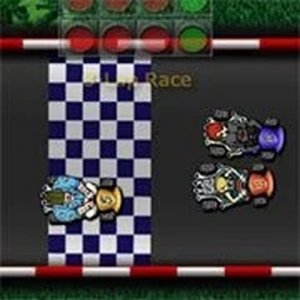
Turbo Era Racing Challenge is an arcade-style racing game that puts you behind the wheel of a high-speed car. The core objective is to compete on various tracks, aiming for the fastest lap times and race victories. What makes this game unique is its focus on straightforward, accessible racing fun without complex rules or simulations. It is designed to be family-friendly and safe for all ages, offering an engaging experience for both casual and dedicated racing fans. The game is built with Flash technology, which provides simple yet enjoyable gameplay that can be picked up quickly.
Players control their car using keyboard inputs, typically the arrow keys or WASD keys. To accelerate, press the up arrow or W key; to reverse, press the down arrow or S key. Steering is done with the left/right arrow keys or A/D keys. The game may also include options to toggle visual quality settings to improve performance, especially if lag occurs. Players can also use the accelerator to brake, as the car slows down quickly. Additionally, tire barriers are placed on tracks to help make walls visible on critical sections, aiding navigation.
Key features include fast-paced arcade racing, simple and responsive controls, and a variety of tracks to race on. The game offers visual quality options that allow players to adjust graphics for smoother play, such as setting liveries to simple mode. Tire barriers are used to enhance track visibility and safety. The game is designed to be accessible to players of all skill levels, making it easy to start a quick gaming session. It is optimized for play on Google Chrome for best performance, as other browsers like Firefox may cause lag or control issues.
To succeed in Turbo Era Racing Challenge, practice controlling your speed through corners by tapping the accelerator rather than relying solely on reverse. Use the visual quality options if you experience lag to maintain smooth gameplay. Familiarize yourself with the tracks by paying attention to tire barriers, which indicate critical wall areas. Regular practice will help you learn braking points and racing lines. Also, ensure you play on a supported browser like Google Chrome to avoid performance issues. Stay focused and enjoy the straightforward racing experience.




Player Comments
Sign in to comment
You must be logged in before posting a review or rating.
No account? Create one
No comments yet. Be the first to comment!