City Builder Online Game - Creative Building

City Builder Online Game - Creative Building

3D Car Music Action Build Building Vehicles
Developer: Rogue Core Creations
Published: 2024-10-15
Updated: 2026-06-12

Reviews

Lego My City 2 offers a satisfying building experience with smooth controls and a cheerful visual style. The game encourages creativity without any stress or competition. Players can spend hours designing unique city layouts, experimenting with different block combinations. It is highly replayable because every session can produce a completely different city. The lack of ads and inappropriate content makes it a trustworthy choice for children and adults alike. Overall, a solid and enjoyable building game for casual play.

Game Introduction

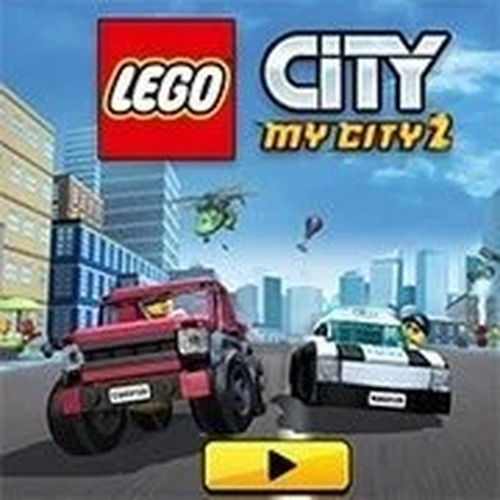
Lego My City 2 invites players into a vibrant world of creativity and construction. This online building game lets you design your own Lego city from scratch, using a wide variety of colorful blocks and structures. Whether you are a fan of Lego or just love building games, this title offers a relaxing and engaging experience. The game runs smoothly on WebGL-enabled browsers, ensuring crisp graphics and responsive gameplay. Perfect for kids and families, it encourages imagination and problem-solving without any violent or inappropriate content. Enjoy a safe environment where you can build, explore, and share your creations with friends.

How to Play

To start playing Lego My City 2, simply open the game in your browser and click on the expansion icon at the bottom right to make it full screen for a better view. The game requires a WebGL-enabled browser, so ensure your device supports it. Use your mouse or touch controls to drag and place Lego pieces, build structures, and customize your city. There are no complex rules—just let your creativity guide you. You can add roads, houses, trees, and more to create a unique urban landscape. The intuitive interface makes it easy for players of all ages to jump right in and start building.

Game Features

Family-friendly and safe for all ages. Creative building with a wide variety of Lego blocks. Easy drag-and-drop controls for mouse or touch. Full-screen mode for an immersive experience. WebGL support ensures smooth performance on modern browsers. No ads or in-app purchases during gameplay.

Tips for Success

To make the most of your building experience, start by planning your city layout before placing blocks. Experiment with different block combinations to create unique structures. Take advantage of the full-screen mode to see your entire city at once. If you get stuck, try building smaller sections first and then connect them. Most importantly, have fun and let your imagination guide you—there are no wrong ways to build in this game.


Having issues?

✅ This game supports:
- Desktop browsers (Chrome, Edge, Safari)
- Mobile browsers (Chrome on Android, Safari on iOS)
❌ Does NOT support:
- Internet Explorer
- Very old browser versions
👉 Try refreshing or updating your browser
Faq
Can I play this game on a mobile device?
The game is designed for WebGL-enabled browsers, so it may work on mobile devices that support WebGL. For the best experience, use a desktop or laptop computer with a modern browser. Touch controls are supported, but performance may vary on smaller screens.
Is there a way to save my city progress?
Many online building games like this one often include an auto-save feature or a manual save option. While not explicitly mentioned in the description, players typically can save their creations by using in-game save buttons or browser-based storage. Check the game interface for save options.
Do I need to create an account to play?
The description does not specify whether an account is required. Many browser-based building games allow immediate play without registration. If the game includes sharing features, an account might be needed for that. Try opening the game to see if it asks for login.
Can I share my city with other players?
The game description mentions that you can share your creations with friends, suggesting there is a sharing feature. The exact method (such as a link or in-game gallery) is not detailed, but it is likely accessible from the game menu. Look for a share button or option.
What types of blocks are available in the game?
Based on the game's theme, you can expect a variety of colorful Lego-style blocks including basic bricks, windows, doors, and decorative pieces. The description mentions roads, houses, and trees, so the block selection likely supports building urban environments. More specific block types are not listed.
Is the game free to play?
The description states that there are no ads or in-app purchases during gameplay, which strongly implies the game is free to play. However, it does not explicitly say whether there is an initial cost. Typically, browser-based building games of this type are free to access.
Advertisement

Related Picks