Multiverse Beat Rhythm Game offers an engaging music challenge with a colorful cartoon style. The multiverse theme adds variety to songs and visuals, keeping gameplay fresh. It runs smoothly on low-end devices and requires no downloads or login. Perfect for quick play sessions or longer practice.
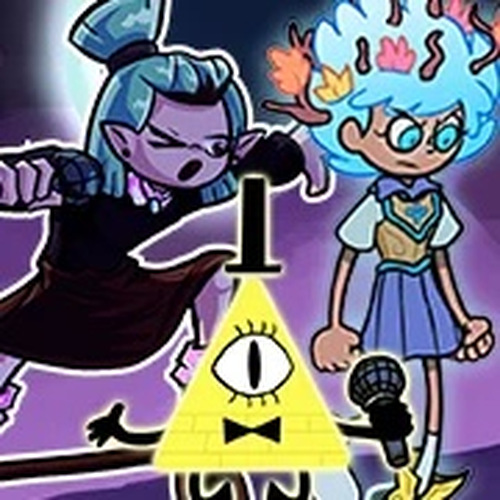
Multiverse Beat Rhythm Game is a browser-based music rhythm challenge that builds on the classic formula of matching notes to a beat. In this game, players take part in musical performances against opponents from alternate universes. The main goal is to stay on beat and outperform the rival by hitting the correct notes at the right moments. This web-optimized version makes the experience accessible on many devices, including Chromebooks, Macs, Linux computers, and older hardware, without needing a powerful machine or extra storage. The multiverse theme introduces new songs and character variations, offering a fresh twist on the familiar rhythm challenge. Players can enjoy a variety of musical styles and visual themes that change with each opponent. The game is designed to be easy to pick up but offers increasing difficulty as players progress. It is suitable for anyone who enjoys music, timing, and friendly competition. The cartoon art style keeps the experience light and engaging, making it appropriate for all ages. No account creation or login is required, so players can start playing immediately. The game is free to play and runs entirely in a web browser, making it convenient for quick sessions or extended play.
Players use the arrow keys to match rhythm prompts that appear on screen. As the music plays, prompts scroll in time with the beat, and you must press the corresponding arrow key when the prompt reaches the target zone. Each song features unique note patterns and increasing difficulty. Staying focused on the beat and avoiding missed notes is key to winning each performance. Practice helps improve timing and accuracy, allowing you to tackle harder songs and opponents. The game provides visual cues to help you anticipate upcoming notes. As you progress, the patterns become more complex, requiring quicker reactions and better rhythm. The interface is straightforward, with clear indicators for when to press each key. Players can replay songs to improve their score and master difficult sections.
This game includes multiverse-themed songs that add variety to the rhythm experience. It is fully accessible through a web browser, with no downloads or installations required. Players can enjoy free online play without needing to create an account or log in. The game is optimized for smooth performance on low-end devices, making it suitable for a wide range of hardware. The cartoon art style and music-focused gameplay create an engaging and accessible rhythm challenge. The game offers multiple songs with different difficulty levels, allowing players to choose their preferred challenge. The visual design is colorful and appealing, with character variations that reflect the multiverse theme. The game runs smoothly on most modern browsers, ensuring a consistent experience across platforms.
Focus on listening to the music’s beat rather than just watching the prompts, as this can improve your timing. Start with easier songs to build confidence and gradually increase difficulty. Practice regularly to learn common note patterns and improve your reaction speed. Stay relaxed and avoid tensing up, as this can lead to missed notes. If you find a section challenging, try repeating it until the pattern becomes familiar.






Player Comments
Sign in to comment
You must be logged in before posting a review or rating.
No account? Create one
No comments yet. Be the first to comment!