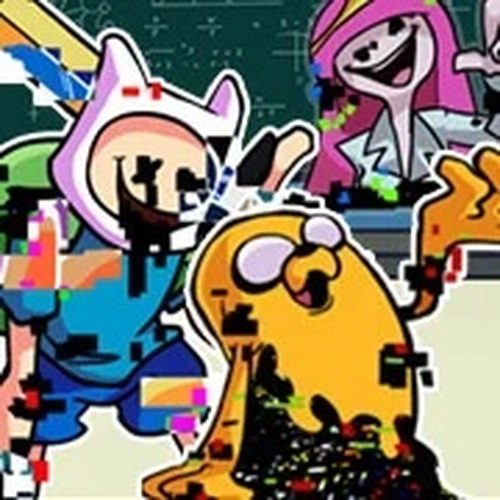
Beat Quest: Pibby Rhythm delivers a polished rhythm experience that runs flawlessly in a browser. The song selection is varied and catchy, with clear visual cues that make learning patterns straightforward. Performance on a Chromebook was smooth, with no noticeable lag. The progression system rewards practice without punishing mistakes, making it accessible for newcomers while still offering challenge for experienced players. The lack of customizable controls is a minor limitation, but the core gameplay is solid and enjoyable.
Players press arrow keys as musical symbols scroll down the screen. The goal is to press the correct key exactly when the symbol reaches a target zone. Successfully timed presses add to a score multiplier, while missed notes break the streak. Each song presents a unique pattern of symbols, requiring quick visual recognition and precise timing. The game uses a simple one-line lane format, making it easy to follow even during faster sections.
The soundtrack includes several original compositions inspired by the crossover theme. Each track has a distinct tempo and rhythm pattern, from slower introductory pieces to more energetic numbers. Players can choose any unlocked song from the main menu. The music is upbeat and designed to be catchy without being distracting. Visual effects pulse in time with the beat, creating a cohesive audio-visual experience.
This game runs entirely within a web browser, requiring no installation or special software. It is optimized for low-end hardware, including Chromebooks, older PCs, and Linux systems. The code minimizes input lag, so key presses register instantly. Players can start a session in seconds by visiting the game page. The interface is clean and uncluttered, with clear indicators for score, combo count, and progress through a song.
Songs are arranged in a sequence of increasing complexity. Early tracks introduce basic patterns with slow tempos, while later ones combine faster speeds with more varied note sequences. Each song must be completed with a passing score to unlock the next. Players can replay any previously cleared song to improve their score and aim for perfect accuracy. The difficulty curve is gentle, allowing newcomers to build skills gradually.
Every successful note hit produces a visual indicator, such as a flash or a particle effect, along with a score increase. The game displays a running total and a combo counter that resets on a miss. Achieving a high combo grants bonus points. At the end of a song, a summary screen shows overall accuracy, highest combo, and total score. This feedback helps players identify areas for improvement.





Player Comments
Sign in to comment
You must be logged in before posting a review or rating.
No account? Create one
No comments yet. Be the first to comment!