TM Driver Arcade Driving Game is a great choice for casual players who want a safe, relaxing driving experience. The controls are intuitive, using arrow keys and space bar, and the rear-view feature adds a nice touch. It is perfect for short breaks or longer play sessions, and works on most browsers without any downloads. The game focuses on basic driving skills without any mature content, making it suitable for all ages. It is a straightforward, enjoyable way to practice steering and braking in a virtual environment.
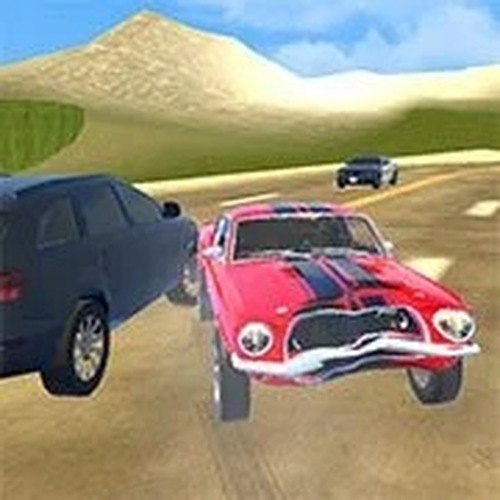
TM Driver Arcade Driving Game is an online driving game designed for players of all ages. In this safe and family-friendly experience, you take control of a vehicle and navigate through different roads. The game focuses on basic driving skills without any violent or inappropriate content, making it suitable for quick play sessions or longer breaks. Whether you are a beginner or an experienced player, this game offers a fun way to practice steering and braking in a virtual environment. The core objective is to drive along roads, stay on course, and enjoy the experience. What makes this game unique is its simplicity and accessibility. It is designed to be intuitive, so you can start playing right away without complicated instructions. The game works on most web browsers without downloads, making it easy to jump in and play anytime. It is perfect for anyone looking for a relaxing driving activity that does not involve any intense or mature themes.
To play TM Driver, use the arrow keys on your keyboard to move the vehicle in different directions. Press the space bar to apply the brake and slow down or stop. If you need to check what is behind you, simply press the B key to look back. These straightforward controls allow you to focus on the driving experience. The game is designed to be intuitive, so you can start playing right away without complicated instructions. Remember to stay on the road and enjoy the drive. Players typically navigate through various roads, avoiding obstacles and maintaining control of their vehicle. The game emphasizes basic driving mechanics, so you can practice steering, braking, and using the rear-view feature to check for traffic behind you. It is a simple yet engaging way to improve your driving skills in a virtual setting.
Safe and family-friendly driving fun with simple controls. No violent or inappropriate content. Easy to learn with arrow keys and space bar. Includes a rear-view feature by pressing B. Suitable for quick play sessions or longer gaming breaks. Works on most web browsers without downloads. The game may include various road environments and obstacles to navigate. It is designed to be accessible for players of all ages and skill levels. The controls are intuitive, allowing you to focus on the driving experience rather than complex instructions. The game provides a relaxing and enjoyable way to practice basic driving skills in a virtual environment.
Practice using the arrow keys and space bar to get comfortable with steering and braking. Use the rear-view feature (B key) to check traffic behind you before changing lanes. Stay on the road and avoid obstacles to maintain a smooth drive. Take short breaks if playing for a long time to keep your focus sharp. As with any driving game, regular practice will improve your reaction time and control. Focus on smooth steering and gradual braking for a more realistic driving experience.










Player Comments
Sign in to comment
You must be logged in before posting a review or rating.
No account? Create one
No comments yet. Be the first to comment!