Traffic Director Puzzle Game offers a refreshingly calm puzzle experience. The simple tap controls make it easy to start, but the increasing complexity of traffic patterns keeps you engaged. It is ideal for players of all ages who enjoy logic-based challenges without stress. The clean design and mobile-friendly layout are additional strengths.
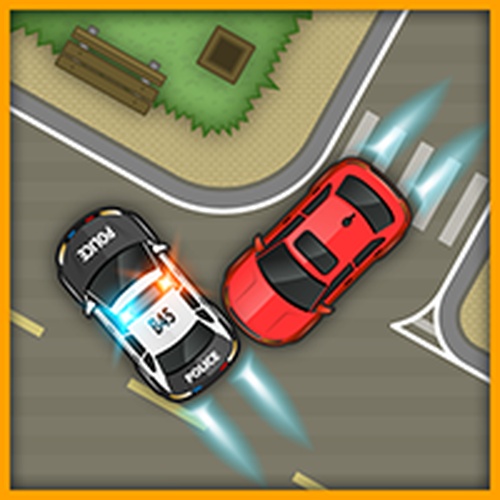
Traffic Director Puzzle Game is an online puzzle game where you take on the role of a traffic director at busy intersections. The core objective is to guide cars safely through the junction, ensuring each vehicle reaches its destination without any delays or collisions. This game combines strategic thinking with quick decision-making, offering a calm yet engaging experience suitable for players of all ages. Each level presents a unique traffic pattern, keeping the gameplay fresh and challenging. Developed by Inlogic, the game is designed to be accessible and family-friendly, with no violent or inappropriate content. The simple premise makes it easy to understand, but the increasing complexity of traffic patterns provides a steady challenge. Players must observe the flow of vehicles and decide when to let each car proceed. The game rewards careful planning and patience, making it a relaxing yet mentally stimulating activity. It is ideal for short gaming sessions or longer play, and its clean design ensures a pleasant experience on any device.
Players typically tap on a car to make it speed up and earn extra points. When traffic becomes heavy, a slow-down feature can be used to prevent accidents. The goal is to get all cars to the finish line safely. You must stay alert and plan your moves ahead to avoid collisions. Each successful run increases your score and unlocks more challenging levels. The simple controls make it easy to pick up, but mastering the timing and strategy requires focus and practice. The game provides clear visual cues to help you decide when to act. As you progress, you will encounter more complex intersections that require careful coordination. The game is designed to be intuitive, so you can start playing immediately without a lengthy tutorial.
This game includes family-friendly content with simple touch controls and a mobile-friendly design. Levels become more complex as you progress, offering a steady challenge. The interface is clean and smooth, ensuring a pleasant experience on any device. The game is free from violence or inappropriate themes, making it safe for children and adults alike. It is ideal for short gaming sessions, combining logic and timing in a rewarding way without being stressful. The game may include a variety of traffic patterns that keep each level fresh. It is designed to be accessible to players of all skill levels, with no complex rules to learn. The focus is on thoughtful planning and quick reactions, providing a satisfying puzzle experience.
To succeed, practice regularly to improve your timing and decision-making. Pay close attention to the traffic patterns and plan your moves ahead. Use the speed-up feature wisely to earn extra points, but don't rush—slowing down can prevent accidents. Stay calm and focused, especially as levels get more complex. Learning from each attempt will help you master the game and achieve higher scores. Observing the flow of cars before making a move can save you from mistakes. Patience and careful observation are key to mastering this puzzle game.

Player Comments
Sign in to comment
You must be logged in before posting a review or rating.
No account? Create one
No comments yet. Be the first to comment!